


Version control ppt powerpoint presentation model ideas cpb




Try Before you Buy Download Free Sample Product
 Impress Your
 Audience
 100%
100% Editable
 Save Hours
 of Time


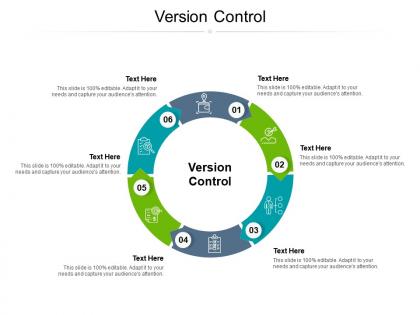
Our Version Control Ppt Powerpoint Presentation Model Ideas Cpb are topically designed to provide an attractive backdrop to any subject. Use them to look like a presentation pro.
People who downloaded this PowerPoint presentation also viewed the following :
Version control ppt powerpoint presentation model ideas cpb with all 2 slides:
Use our Version Control Ppt Powerpoint Presentation Model Ideas Cpb to effectively help you save your valuable time. They are readymade to fit into any presentation structure.

FAQs for Version control ppt powerpoint presentation
Oh man, version control is a game changer. Git tracks every single change you make - who changed what and when. So when something inevitably breaks (and it will), you can just roll back to when things actually worked. Multiple people can work on the same code without totally screwing each other over through branches and merging. Honestly, the automatic backup of your entire project history has saved my ass more times than I can count. Even if you're just coding solo stuff, trust me - start using Git now. You'll wonder how you ever lived without it.
So basically version control saves you from that nightmare where everyone's editing the same files and breaking stuff. You can work on your own copy, then merge everything back together later. No more awkward Slack messages asking who touched the database code lol. Best part? Complete history of changes so you know exactly who did what. Create different branches for features too - keeps things clean. Someone inevitably breaks something (usually me), but you can just roll back to the last working version. Just commit your stuff regularly with decent messages so people aren't guessing what you changed.
So basically, Git copies your entire project history to your computer while SVN keeps everything on one central server. That's huge because you can work offline, commit stuff, create branches - whatever. With SVN? Server goes down and you're screwed. Git's merging is also way less painful when multiple people are working on the same project. I honestly don't know why anyone still uses centralized systems these days. You should definitely try Git if you haven't - once you get used to it, going back feels like torture.
So branches are basically like making copies of your code to mess around with - kinda like having a rough draft while keeping your clean version safe. You can build new features or fix stuff without breaking everything. The cool part is working on multiple things at once without your teammates accidentally overwriting your work. I honestly wish someone had told me this earlier - switching between different versions becomes super easy. And yeah, when you inevitably break something (happens to everyone), your main code stays untouched. Just make branches for every feature, even tiny ones.
So basically version control tracks every single change to your files - who did what, when they did it, plus why (if they wrote decent commit messages). Think of it as a time machine for your code. You can trace any bug back to exactly when it got introduced, which makes auditing way easier. Plus it's great for compliance stuff since everything's documented. The accountability aspect is huge too - no more "wasn't me" situations lol. Honestly, just start writing good commit messages now. Trust me, you'll be grateful later when you're trying to figure out why something broke.
Honestly? Merge conflicts will be your biggest headache. Half your team will panic about breaking stuff, the other half will have completely different ideas about branching. Good luck getting anyone to write proper commit messages - it's seriously impossible. You'll have some devs who've been doing the whole "copy files to a backup folder" thing for years and they'll hate the change. Git commands are confusing as hell at first too. People never know when they should commit vs push. My advice: keep it simple initially. Don't overcomplicate the workflow right away or you'll lose everyone.
Honestly, version control is a lifesaver when bugs pop up. You can see exactly what changed and when, so no more playing detective trying to figure out who messed with the login function (we've all been there). The best part? Code reviews catch so much stuff before it breaks anything. Your teammates spot logic errors and weird edge cases you totally missed. Branching means you can mess around with new features without worrying about breaking everything. Pull requests are where the magic happens - seriously game-changing for keeping your code clean. Quick reverts when things go sideways don't hurt either.
So version control is basically what kicks off your whole CI/CD pipeline. Every time you push code, it triggers the build and deployment stuff automatically. Your CI tools are just sitting there watching your main branch (or whatever branch you use) for changes. Then they grab that exact code version and run it through testing and deployment. Honestly, without version control you'd be totally screwed - no way to track which code is deployed where. Oh and make sure your branching matches up with how you deploy things, otherwise you'll get weird issues later.
Ugh, merge conflicts are the worst! Pull from main constantly - like, way more than you think you need to. Small branches are your friend here. Also talk to your team about which files you're touching so you don't both mess with the same stuff. I wasted literally 3 hours once untangling CSS chaos because I didn't do this. VS Code's merge tool is pretty decent, or GitKraken if you want the fancy visual stuff. When conflicts hit, don't freak out. Read both versions carefully and test everything after. Oh, and commit often so you can bail if things go sideways!
Dude, you absolutely need version control for any open-source thing. Git lets everyone work on stuff without totally destroying each other's code. When someone breaks something (and they will), you can just roll back to when it actually worked. The whole branching thing is pretty clever - people can mess around with features separately, then do pull requests so you can review before merging. GitHub basically made their fortune off this workflow! Plus you get this complete history of who changed what and when. Honestly, don't even think about starting without Git. You'll thank me later.
Dude, version control will save your sanity. Track every change, see who edited what, and roll back when things get messy. No more of those ridiculous "final_ACTUALLY_final_v3" file names we've all been guilty of. Your whole team can work at once without accidentally deleting each other's stuff. Plus you get this complete timeline of how everything developed - honestly pretty cool to look back on. Even working alone, it's like having infinite undo. Git's good for text stuff, or just see if your design apps already have it built in.
Think of commit messages as your project's diary. Future you will thank past you when you're debugging at 2 AM and actually understand what happened. "Fixed stuff" is useless - be specific about what changed and why. Your teammate shouldn't have to decode your commits like hieroglyphics. I usually write them like I'm explaining the change to someone who wasn't there. If the message makes sense without looking at code, you've nailed it. Honestly, it's one of those habits that seems annoying until it saves your butt later.
So access controls are basically your way of deciding who gets to mess with your code repositories. You can give some people read-only access, let others push changes, and only trusted team members can approve stuff going into main branches. Think of it like having different keys for different rooms, you know? For anything sensitive, you can lock down who sees classified code and track exactly who changed what. Honestly, I'd set up branch protection and require reviews from day one - trust me on this one. Saves so much drama down the road when someone accidentally breaks everything.
Honestly, just go with Git. It's distributed and literally everywhere now - GitHub made it the standard. SVN still exists and some teams use it because it's centralized (one server, simpler concept), but that's mostly legacy stuff or teams that hate dealing with merge conflicts. Mercurial was cool back in the day - Python folks loved it for some reason. But even they gave up and switched to Git eventually. The tooling around Git is just way better at this point. You'll thank yourself later when you're not the only person on your team who doesn't know it.
So basically version control saves your package files (package.json, requirements.txt, etc.) right with your code. Super useful when stuff breaks! You can see exactly which dependency update screwed things up and roll back fast. Different branches let you test new versions without messing up main. Oh and definitely commit those lock files - learned that the hard way. They make sure your whole team gets identical dependency versions when they pull. Makes collaboration way less painful since nobody's dealing with weird version conflicts anymore.
No Reviews