


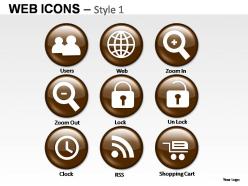
Web icons style 1 powerpoint presentation slides
You must be logged in to download this presentation.




Try Before you Buy Download Free Sample Product
 Impress Your
 Audience
 100%
100% Editable
 Save Hours
 of Time


Communicate with your group through our Web Icons Style 1 Powerpoint Presentation Slides. They will facilitate their understanding of your views.
People who downloaded this PowerPoint presentation also viewed the following :
Web icons style 1 powerpoint presentation slides with all 33 slides:
What are you trying to tell your audience? Bring it to us and we are sure one of our Web Icons Style 1 Powerpoint Presentation Slides will clearly pass the message through.



FAQs for Web icons style 1
Honestly, consistency is everything with web icons - same stroke width, corner radius, all that stuff so they actually look like they belong together. You'll want them crystal clear at any size too. I can't tell you how many times I've seen gorgeous individual icons that look absolutely terrible as a set. Simple enough that people get it instantly, but still fits your brand vibe. Oh, and definitely nail down your core rules first - like are you doing filled or outlined? What's your stroke width gonna be? Way easier than trying to retrofit everything later when half your icons look wonky together.
Color theory is super important for web icons - it totally affects how people use your site. High contrast ratios are key for accessibility, and you'll want to stick with your brand colors to keep things consistent. Red works great for alerts, green for success messages, that kind of thing. So many designers just pick whatever looks pretty though, which honestly drives me crazy. Make sure your colors actually work together as a set. Oh, and test everything in grayscale first - if it doesn't work without color, you're screwed. Then think about readability on different backgrounds when you add the colors back in.
Honestly, minimalist line icons are everywhere right now, and I'm here for it. Subtle 3D effects are making a comeback too - not the crazy glossy stuff from 2010, but soft shadows and gentle gradients that add just enough depth. Everything's getting rounder corners and more organic shapes, which feels way more human than those rigid geometric icons we had before. Duotone color schemes are having a major moment (two colors that somehow look incredible together). Oh, and accessibility is finally becoming mainstream - higher contrast, clearer hierarchy, all that good stuff. Definitely peek at Google and Apple's latest icon work for inspiration.
Honestly, negative space is a game changer for icons. It makes everything way more readable, especially on phones where everything's tiny. You want your main elements to really stand out against the background - contrast is everything. Look at FedEx with that hidden arrow or Apple's logo. They work because of what's missing, not what's there. I used to overthink this stuff and cram in every detail possible. Bad move. Strip out the unnecessary bits and see if your icon still makes sense. Clean, minimal designs just hit different. Your eyes need somewhere to rest, you know?
Icons are honestly a game-changer for making your site easy to scan. People instantly get what a trash can or heart means without reading anything. Super helpful on mobile too since space is tight. They work across languages, which is pretty cool for international users. Just don't get too creative with them - I've seen some really confusing "artistic" shopping carts that make no sense. Stick with what people already know. Oh, and definitely add text labels if there's any doubt. Short sentences work. Nothing worse than users guessing what your fancy icon does.
Build your icon library first—seriously, this saves so much headache later. Pick one style and don't deviate. I mixed outline and filled icons once and it looked absolutely terrible. All your icons need matching stroke weights and corner radius, plus consistent sizing. Figma's great for this, or just keep a shared icon sheet somewhere. Document the specs so your team knows what's what. Oh, and always do a final check before you launch because there's always that one random icon that doesn't match.
Stick to multiples of 8 or 16 pixels - like 16px, 24px, 32px. Keeps everything crisp on different screens. I'm obsessed with 24px for most UI stuff because it hits that perfect balance between readable and not taking over your whole design. Design each icon at its actual size instead of scaling one version up and down. Trust me, the details get weird otherwise. Oh and definitely test on real phones, not just your computer screen - I learned that one the hard way! SVG format is your friend for smooth scaling too.
Your icon style totally affects how people see your brand. Like, minimal clean icons scream "we're professional and modern" while illustrated detailed ones feel way more friendly and creative. I swear it's crazy how a tiny icon can make or break first impressions! Don't mix styles though - that just looks messy and makes people not trust you. Filled vs outlined, sharp vs rounded corners, colorful vs plain... they all give off completely different energy. Just pick whatever matches your brand's vibe and use it everywhere. Consistency is everything here.
Hey! So icons need alt text for screen readers - decorative ones too, not just the clickable stuff. Make sure there's enough contrast, especially with those super thin line icons that basically vanish on light backgrounds. Don't use color alone to show meaning since colorblind folks will miss it completely. Oh, and make clickable icons at least 44x44 pixels - anything smaller is honestly just frustrating to tap. I'd definitely test with actual screen reader software before launching. Sounds boring but you'll catch weird issues that way. Trust me on this one.
Yeah, each industry definitely has its own vibe with icons. Finance and healthcare stick to super clean, minimal stuff - those simple line icons that look professional and won't confuse people. Tech companies? They can go wild with colorful, playful designs since their users actually want that innovative feel. E-commerce is all about clarity though - shopping carts, little hearts for wishlist items, whatever gets people to actually buy stuff. Honestly, I'd just peek at what the big players in your space are doing first. That's probably your safest bet for figuring out what people expect to see.
Honestly, Figma's where I'd start - it's free and works in your browser, plus if you're working with anyone else it's a lifesaver. Sketch and Illustrator are solid too if you've got them. But here's the thing - you don't always need to start from zero. Libraries like Feather Icons or Heroicons let you grab something close and tweak it. Way faster than building everything yourself. Canva's icon maker is surprisingly decent for quick stuff too. Oh, and whatever you do, export as SVGs. Trust me on that one - they'll stay crisp on any screen.
Honestly, animated icons are way better at catching people's eye and actually guiding them around your site. You can use them for loading screens, button hovers, stuff like that. They're perfect for highlighting important actions - like getting people to hit that "buy now" button, you know? Makes everything feel way more polished too. I mean, static websites just look... old at this point? But don't go crazy with it - keep the animations clean and subtle or you'll just annoy people. I'd start with simple hover effects on your main buttons first, then see what else might actually help users navigate better.
Apple's the obvious one - that clean, minimal look became their whole thing and everyone copied it. Spotify's icons are perfect though, all bold and geometric, very "we're about music and we're cool." Slack went playful and rounded, which honestly makes work software feel less soul-crushing. Then there's Airbnb with their hand-drawn vibe that screams "cozy home away from home" or whatever. The thing is, they all made their icons feel like the brand's personality instead of just random buttons. So when you're designing yours, figure out what feeling you want first - then make the visuals match that emotion.
Honestly? Stock icons are your friend when you need something fast and cheap - just download and go. The downside is your site ends up looking like every other website out there. Custom icons cost way more and take forever, but they actually fit your brand instead of screaming "template site." For internal stuff or testing ideas, stock works fine. But if customers are gonna see it? I'd probably bite the bullet and go custom. Actually, here's what I'd do - start with stock icons to get things moving, then switch to custom ones once you figure out what's actually working.
Do your homework on cultural symbols and colors first - they're way trickier than you'd think. Red screams "danger" to us but means good luck in China, which could totally backfire. I'd honestly just make different versions for different regions instead of trying some one-size-fits-all approach. Test early with actual locals, not just your team. Watch out for offensive symbols too. Colors, metaphors, even basic icons can mean completely different things depending on where you are. Take a hard look at what you've got now and spot the obvious cultural blind spots before they bite you.
-
Best Representation of topics, really appreciable.
-
Excellent work done on template design and graphics.