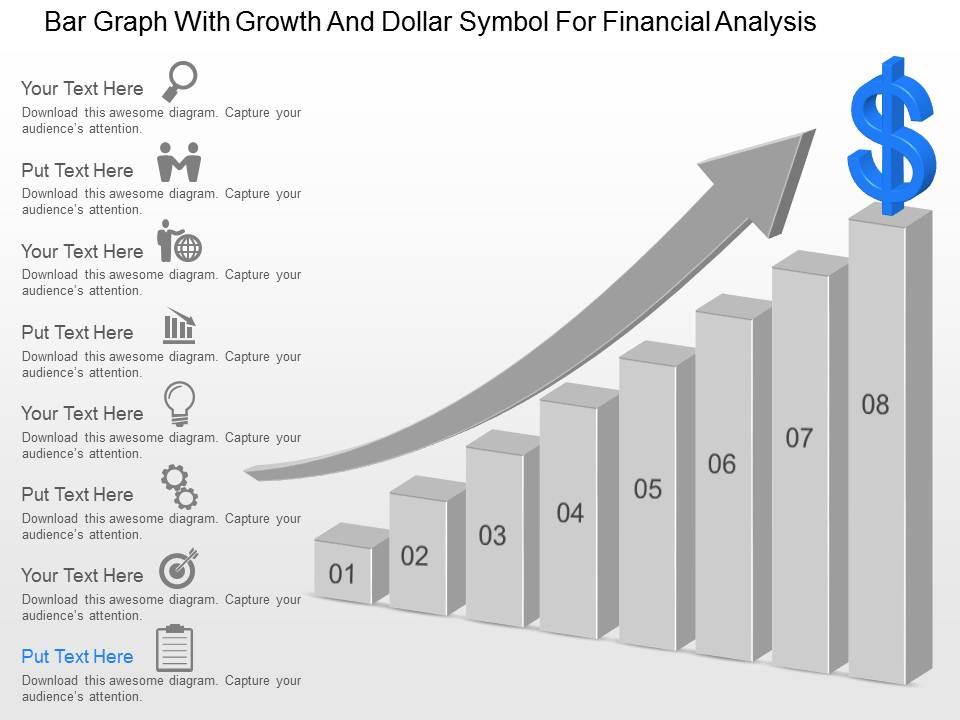
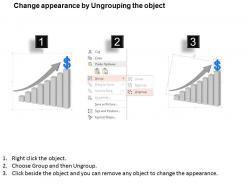
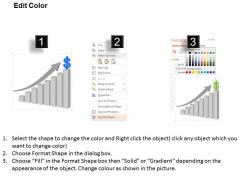
Balkendiagramm mit Wachstum und Dollarsymbol für die Finanzanalyse Ppt-Vorlagenfolie

Rating:
90%
Bar graph with growth and dollar symbol for financial analysis ppt template slide
Slide 1 of 4
Favourites Favourites

Try Before you Buy Download Free Sample Product

Audience Impress Your
Audience
Editable 100%
Editable
Time Save Hours
of Time
The Biggest Sale is ending soon in
0
0
:
0
0
:
0
0
Rating:
90%

Eigenschaften dieser PowerPoint-Präsentationsfolien:

Optisch ansprechende PPT-Präsentationsfolien. Besitzen Sie die Fähigkeit, die Aufmerksamkeit des Publikums leicht zu erregen, ohne große Anstrengungen zu unternehmen. Schafft eine starke Verbindung zwischen dem Publikum und der Präsentation. Benutzerfreundliche PowerPoint-Hintergründe. Ermöglicht das einfache Verstehen und Speichern der auf diesen Vorlagen angezeigten Inhalte. Kann auf Breitbildschirmen angezeigt werden, ohne dass die Bilder und Symbole verpixelt werden.

FAQs for Bar graph with growth and dollar symbol for financial analysis

Key components include clear axis labels, consistent data intervals, comparative time periods, color-coded categories, and comprehensive legends for easy interpretation. These elements streamline financial reporting by enhancing data visibility, enabling quick trend identification, and facilitating stakeholder presentations, with many financial institutions finding that well-structured templates significantly reduce analysis time while improving decision-making accuracy.

Customizing bar graph templates involves adjusting data categories, time periods, color schemes, axis labels, and formatting to match your specific financial metrics and reporting requirements. Whether analyzing revenue trends, expense breakdowns, or performance comparisons across departments, these templates enable seamless data visualization by accommodating different scales, currencies, and measurement units, ultimately delivering clearer insights and more impactful financial presentations.

Vertical bar graphs excel at showing financial trends over time periods, making quarterly revenue or annual growth comparisons immediately clear, while horizontal bar graphs better display categorical financial data like departmental budgets or regional performance rankings. Many financial analysts find that vertical formats enhance time-series storytelling in investor presentations, whereas horizontal layouts optimize space when comparing multiple budget categories or cost centers.

Color coding in bar graphs enhances financial data clarity by creating immediate visual distinctions between categories, highlighting performance trends, and enabling quick identification of outliers or critical metrics. Through strategic color schemes, financial analysts can differentiate revenue streams, expense categories, and profit margins at a glance, ultimately streamlining decision-making processes and improving stakeholder comprehension during presentations.

Excel, Power BI, Tableau, Google Sheets, and QuickSight are highly effective for creating bar graph financial analysis templates. These platforms streamline data visualization by offering customizable charting features, automated data integration, and collaborative sharing capabilities, with many financial institutions finding that Excel's familiarity combined with Power BI's advanced analytics delivers optimal flexibility and professional presentation quality.

Ensuring data accuracy requires systematic verification through double-checking source documents, cross-referencing calculations, and validating formulas before visualization. Implement data validation rules, use consistent formatting protocols, and conduct peer reviews of financial inputs, with many financial analysts finding that structured templates with built-in error checks significantly reduce discrepancies and enhance reporting reliability.

Common mistakes include using inconsistent scales, overcrowding with too much data, choosing inappropriate time periods, neglecting to label axes clearly, and mixing different data types inappropriately. These errors can mislead stakeholders by distorting trends, obscuring key insights, and reducing analytical accuracy, with many financial teams finding that clean, properly scaled visualizations ultimately deliver clearer decision-making support and enhanced stakeholder confidence.

Integrating comparative analysis features into bar graph templates involves adding multiple data series, variance calculations, percentage change indicators, trend lines, and benchmark comparisons. These enhancements enable financial analysts to visualize year-over-year performance, budget vs. actual variances, and competitor comparisons within a single framework, with many organizations finding that interactive filtering and drill-down capabilities ultimately streamline decision-making processes.

Labeling plays a critical role in bar graph financial presentations by ensuring data clarity, enabling quick interpretation, and preventing misunderstandings about metrics, timeframes, and values. Clear axis labels, data point annotations, and legend explanations enhance stakeholder comprehension during financial reviews, board presentations, and investor meetings, ultimately delivering more persuasive and actionable financial communications.

Bar graphs enable trend visualization across financial periods by displaying data points chronologically, comparing quarterly revenues, annual profits, monthly expenses, and budget variances side-by-side. Through consistent scaling and color coding, financial analysts can identify growth patterns, seasonal fluctuations, and performance gaps, with many organizations finding that visual comparisons streamline reporting and enhance strategic decision-making processes.

Bar graphs excel at displaying comparative financial metrics like revenue growth across quarters, expense breakdowns by department, profit margins between product lines, budget variance analysis, and year-over-year performance indicators. These visualizations enable finance teams to quickly identify trends, benchmark performance against targets, and communicate complex data insights to stakeholders, ultimately streamlining decision-making processes and enhancing strategic financial planning.

Animated bar graphs enhance financial reports by highlighting trends, emphasizing key data points, and guiding audience attention through sequential data reveals. These dynamic visualizations help stakeholders better understand quarterly performance, budget variances, and revenue growth patterns, while maintaining engagement during presentations, ultimately delivering clearer insights and more impactful financial storytelling for strategic decision-making.

Enhanced bar graph templates for financial analysis can include interactive filters for time periods and categories, drill-down capabilities, real-time data connectivity, dynamic color coding, and automated trend annotations. These features streamline decision-making by enabling users to customize views, explore specific metrics instantly, and visualize complex financial patterns, ultimately delivering faster insights and more strategic analysis capabilities.

Design principles significantly enhance bar graph readability in financial contexts through consistent color coding, clear axis labeling, appropriate spacing, and strategic use of contrast to highlight key data points. These elements enable financial analysts, investors, and executives to quickly interpret revenue trends, budget variances, and performance metrics, ultimately streamlining decision-making processes and reducing the risk of misinterpreting critical financial information.

Industries with complex financial data benefit most from bar graph financial analysis, including banking, retail, healthcare, manufacturing, and investment management. These sectors leverage bar graphs to compare quarterly revenues, track departmental budgets, analyze cost centers, and benchmark performance metrics, ultimately enabling faster decision-making and clearer financial communication across stakeholder groups.

Ratings and Reviews

90% of 100
Review Form
Write a review
Most Relevant Reviews
  1. 100%

    by Clifford Powell

    Great designs, really helpful.
  2. 80%

    by Jones Cook

    Professional and unique presentations.

2 Item(s)

per page: